Lost in the Woods
A simple forest scene with a self-propagating particle system.
.png) Figure 1: An overview of the scene, rendered with a tree soft occlusion shader.
Figure 1: An overview of the scene, rendered with a tree soft occlusion shader.
Overview
For this scene, my main objective was to create a dark forest with a burning tree, that the user can explore using a player that has movement like a game character, that is, can move his body, rotate his head, jump and illuminate the scene with a spotlight, acting as a flashlight.
Besides being a simple and small environment, the elements were designed to create the sensation that you are actually in a dark-creepy forest, using resources like a black-gray fog, poor illumination, and a night skybox, as well as a tree density outside the main trail that the player can walk.
The scene has three main parts that will be explained above in each topic:
- Particle System
- Forest
- Player
Particle System
The first idea to create this was to find a way to simulate fire propagation over a tree, starting from the bottom to the outer branches, activated with a trigger when the player gets closer to the tree. The final result was fine, but there are some bugs with the fire texture in the tips of the tree, a better implementation of this system was reached using a glowing powder instead of fire, the result can be seen above with 2x the normal speed:
.gif)
Figure 2: Particle system with 2x the normal speed.
I started creating the particle system separately, using a texture found on the internet and configuring the parameters like start size, color, rotation over time, and others. A negative gravity was used to simulate convection (for the fire) and the shader set to use an additive particle system.
Unity has the option to use a custom mesh to emit particles by the faces, and this was perfect for the simulation. Using C# script, I first cloned the original mesh of the tree, sort the faces in ascending order by the y coordinate values, and each iteration, in the function Update(), I add a new face from the sorted list to the list of faces that will emit particles. The mesh starts empty and each iteration a new mesh is created with a newer value of face, the downsides of this is that the particle system is denser than normal because the particles from the lastest mesh are still in the scene.
Forest
To create the trees, the models from the previous assignment were textured with a wood texture and their number of triangles decreased to improve performance. A simple common tree was imported with three distinct variations, as well as a bush scaled down to look like dead grass.
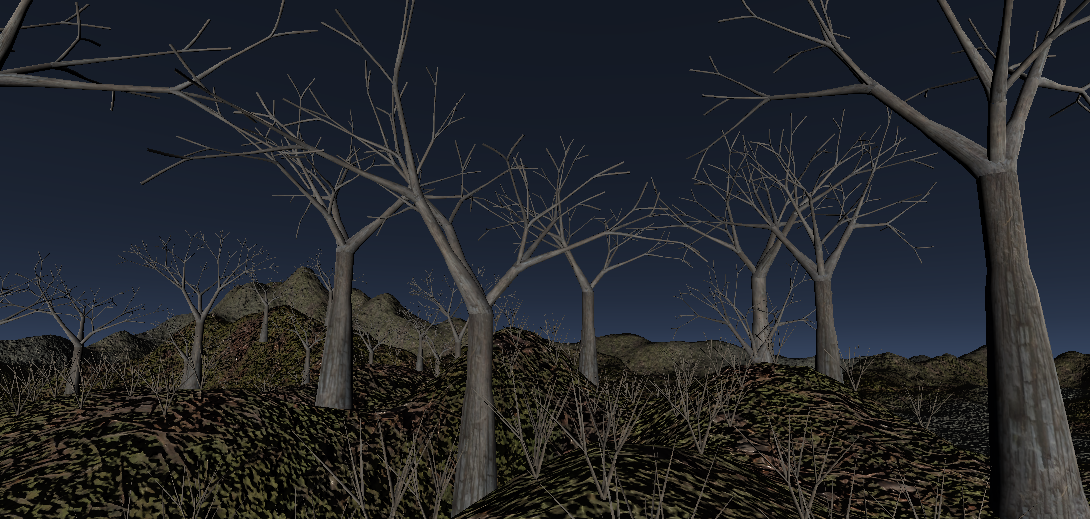 Figure 3: Trees and grass imported from blender, with a standard render.
The map was created to induce the player to follow the trail and arrive at the center to find the “burning tree”, different materials were used in the trails and in the rest of the terrain to ensure this, as well as invisible planes in the corners, acting like invisible walls, restricting the accessible area.
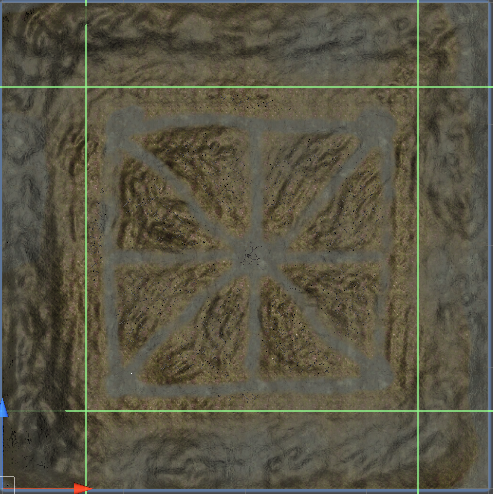
Figure 4: Map’s top view.
The terrain was made using the Unity Terrain Tool, starting from a plane, the terrain was raised/lowered with different brushes with different sizes, creating patterns for the mountains in the corners and the trails in the middle. All of the playable areas were raised softly, the places outside the trails are filled with trees and dead grass.
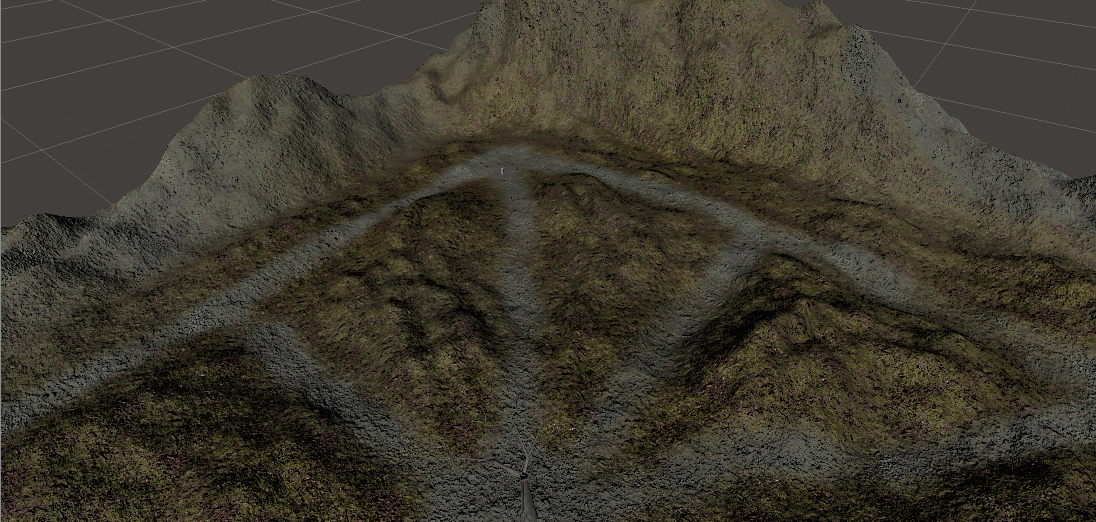 Figure 5: Terrain model.
You can paint trees onto a Terrain similar to painting heightmaps, the 3D models of the past assignment were used here, to paint the areas with trees and dead grass. Although these are 3D models, Unity uses optimizations like billboarding for distant Trees to maintain good performance.
To add a dark atmosphere to the forest, the skybox was changed to a dark-gray and the directional lighting of the Sun had its intensity value lowered to ensure the use of flashlight. Besides that, a dark fog was added to mask billboarding and fading trees, as well as contribute to the dark atmosphere. The last feature was the shader of the tree’s material, it was chosen the nature tree soft occlusion bark to use features like ambient occlusion and billboarding, the bad things of the shader are performance problems and bugs, especially when trees are illuminated with the flashlight.
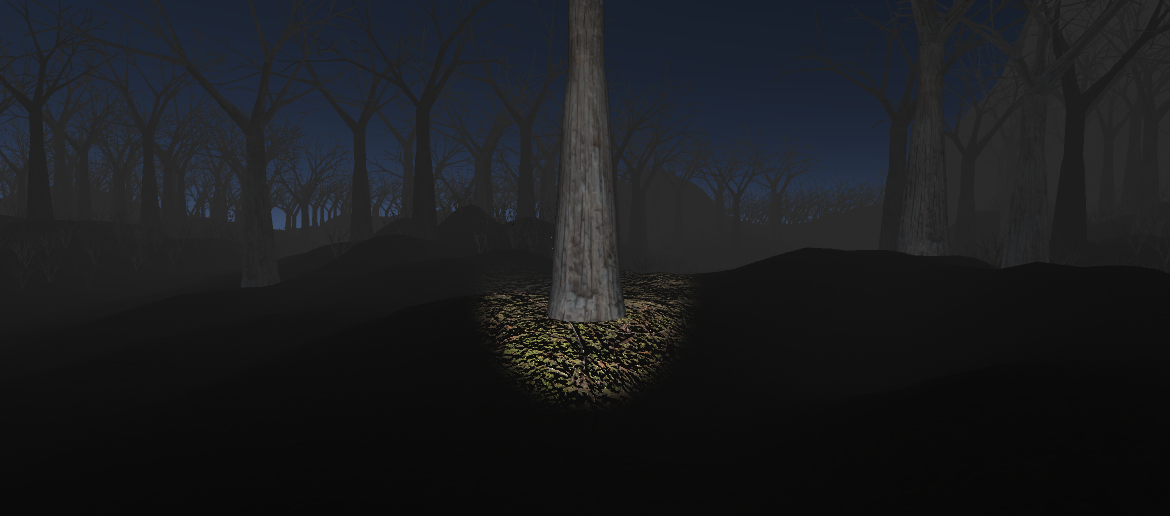 Figure 6: Player’s view of the forest.
Player
To allow the user to explore the scene, a player was created to move throughout the terrain, as well as interact with it by triggering events, colliding, and illuminating areas with a flashlight, which acts as a spotlight.
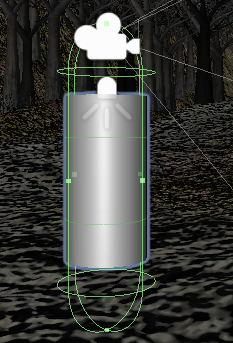
Figure 7: Player’s components.
The main components of the player are listed above:
-
A cylinder to act as the body, it’s purpose is just positioning the camera, no rendering or capsule collision are active.
-
A camera and a spotlight to control the viewing and the flashlight direction. Both of them are hierarchically connected because the spotlight must illuminate just the area in front of the player’s view.
-
A Character Controller component, to manage collisions and movement. The movement is just like a game, with the W, A, S, D, and mouse movements to control the body. The flashlight is turned ON/OFF with right-mouse-click and the character can jump by pressing the space bar.
Demo
A demo can be seen in the link above, built with the Unity WebGL module. In this example I use the glowing powder instead of fire.
Some instructions:
- To find the big tree, just follow the middle trail.
- To show the cursor again, press the ESC key.
- W, A, S, D to move. Mouse to rotate the camera. Right-click of the mouse to turn ON/OFF flashlight.
Link: DEMO